AIKO — Your Free AI Companion
An animated Live2D character that talks back, remembers you, and has a personality you choose. No sign-up, no install, no paywall.
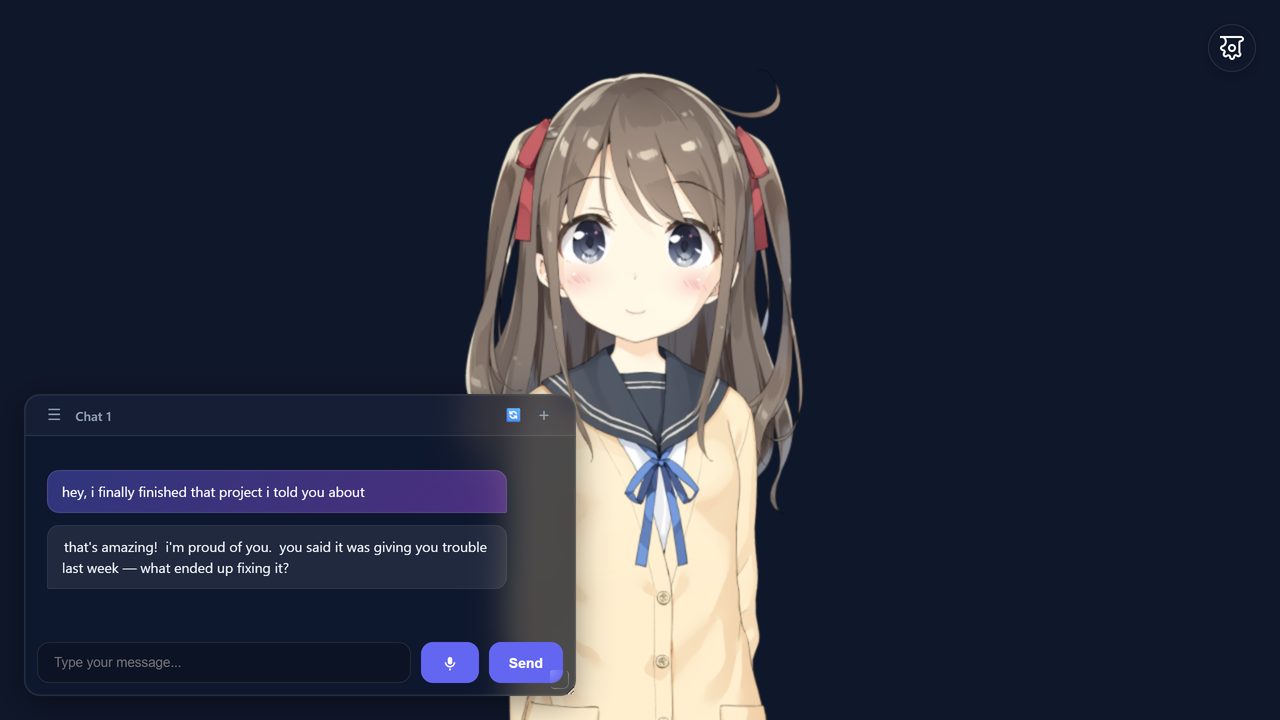
Free AI model & voice included · Open source · Nothing to install
An animated Live2D character that talks back, remembers you, and has a personality you choose. No sign-up, no install, no paywall.
Free AI model & voice included · Open source · Nothing to install
Conversational AI with personality and memory. BYOK via OpenRouter.
Animated character with expressions and reactions.
She speaks out loud by default, and lip-syncs as she talks. Voices come from TikTok TTS or your device's own — no setup, no model download. Tap the mic to talk back.
MIT-0 licensed. No account, no tracking, no paywall.
Yes. AIKO is free and open source under the MIT-0 license. The hosted version includes a free LLM and free text-to-speech, so there is nothing to pay for and no trial to expire.
No. There is no sign-up, no email and no login. Open the app and start chatting. Your conversations and settings are stored in your own browser. The text you send is forwarded to whichever model provider answers it — the built-in free gateway, or your own API key — in order to generate a reply.
Yes. AIKO runs in the mobile browser with a layout built for small screens. There is no app to install on Android or iOS.
Yes. Bring your own OpenRouter API key and pick any model it offers, or point AIKO at any OpenAI-compatible endpoint, including a local one. See the provider docs.
Yes. AIKO keeps conversation memory and a customizable persona, so your companion stays consistent between sessions. Memory lives in your browser, not on our server. Note that message text still goes to your chosen model provider to be answered.
Yes, both ways. Her replies are spoken aloud by default — you can turn that off in Audio Settings. And the mic button in the chat box lets you speak instead of typing; she lip-syncs while she talks.
One thing worth knowing: speech recognition uses your browser's built-in Web Speech API, and in Chrome that sends your audio to Google's speech service to be transcribed. So don't read anything sensitive out loud. Typed messages skip that step entirely.
Yes. Several Live2D models ship with the app, and you can change the voice and language, the background image, and the persona from the settings panel.
Browser-based AI companion with Live2D characters, real AI chat, and voice. No login needed.
56 built-in animated characters with expressions, motions, and a fullscreen gallery.
Local Kokoro TTS, TikTok TTS, and browser fallback voices — 47 voices across 8 languages, plus your device's own.
Guides for providers, memory, settings, and troubleshooting — everything in one place.